Exercise 4: The Rising Tide
Time: 25 min
Previous: Exercise 3: The Flash Crash
Next: Exercise 5: The Invisible Intruder

A coolant leak is flooding the rack under the payment gateway. You need a zero-downtime live migration while transactions keep flowing, then put the damaged node into maintenance so everything else evacuates automatically.
On the Instruqt Rodeo, webserver-prod and daily-batch-processor are pre-baked into the image. This lab's deploy automation builds the same pair from scratch as its last phase, so they're already there waiting for you. Same as the Instruqt track, not something you build by hand.
4.1 Confirm the payment gateway and batch VM
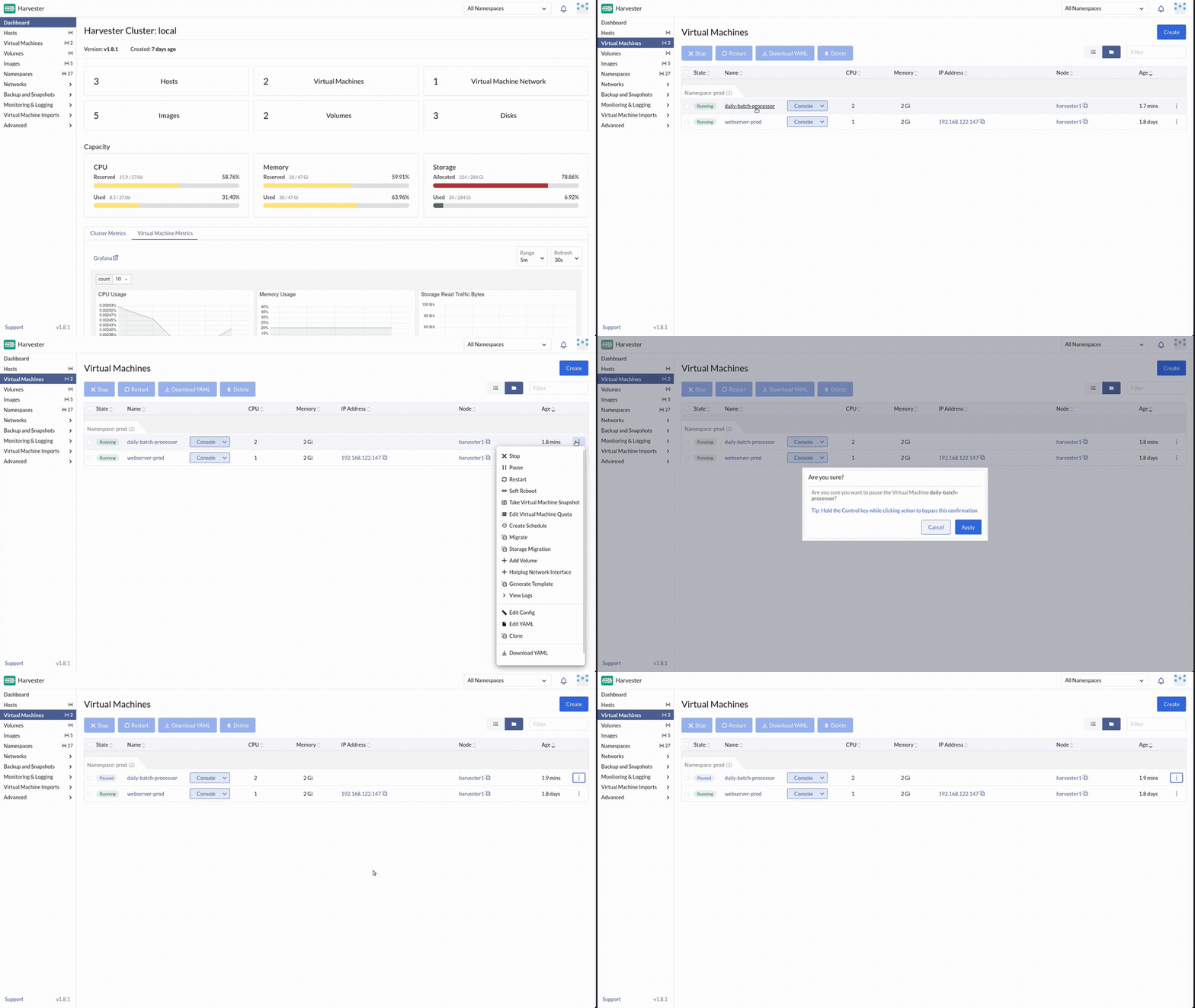
Virtual Machines (namespace prod): confirm both are Running, on network prod/service, DHCP-assigned:
| Name | CPU | Memory | Disk | Purpose |
|---|---|---|---|---|
webserver-prod |
1 | 1 GiB | ~25 GiB (image size, not a typo) | Payment gateway (will migrate) |
daily-batch-processor |
1 | 1 GiB | ~25 GiB | Non-critical (will pause) |
Note the Node column for both. daily-batch-processor started on the same node as webserver-prod (deploy automation pins it there on first boot, then releases the pin), so the two are already sharing hardware, exactly like a real "everything running production on one rack" scenario. Note the IP of webserver-prod from the UI.
If either VM is missing (a previous deploy attempt failed before this step), re-run just that phase (on a claim-portal lab, ask your instructor):
You may delete algo-trader-01 first if the host is tight on RAM:
# optional, from a host with harvester kubeconfig
kubectl delete vm -n prod algo-trader-01 --wait=false
4.2 Pause non-critical work
Virtual Machines → daily-batch-processor → ⋮ → Pause. Wait until state is Paused.
4.3 Establish a heartbeat
On the KVM host (replace with the gateway IP from the UI):
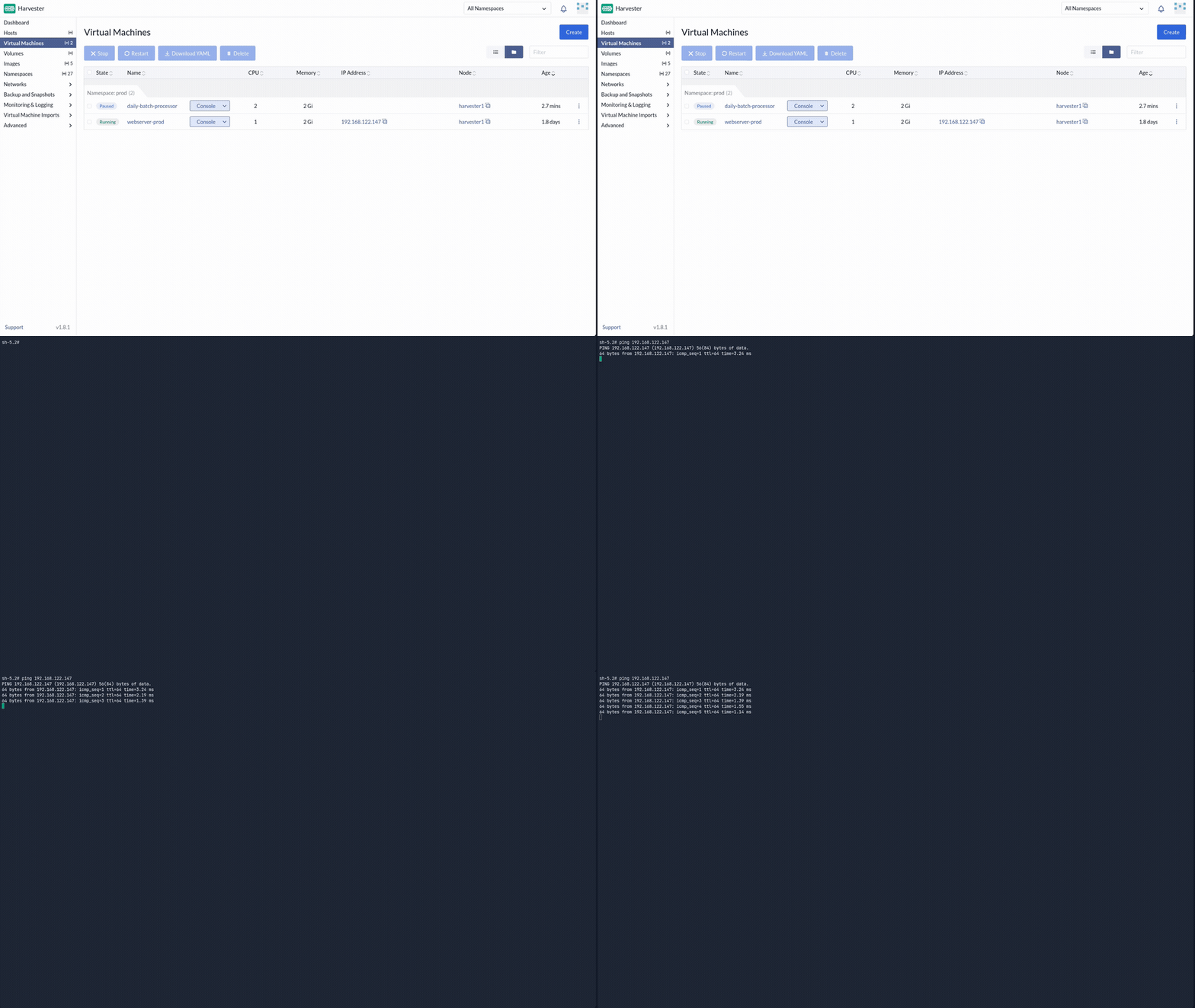
Leave ping running. Do not stop it.
4.4 Live-migrate the gateway
- Note which Node
webserver-prodis on. - ⋮ → Migrate → pick a different healthy node → Apply.

- Watch the UI; keep an eye on the ping window.
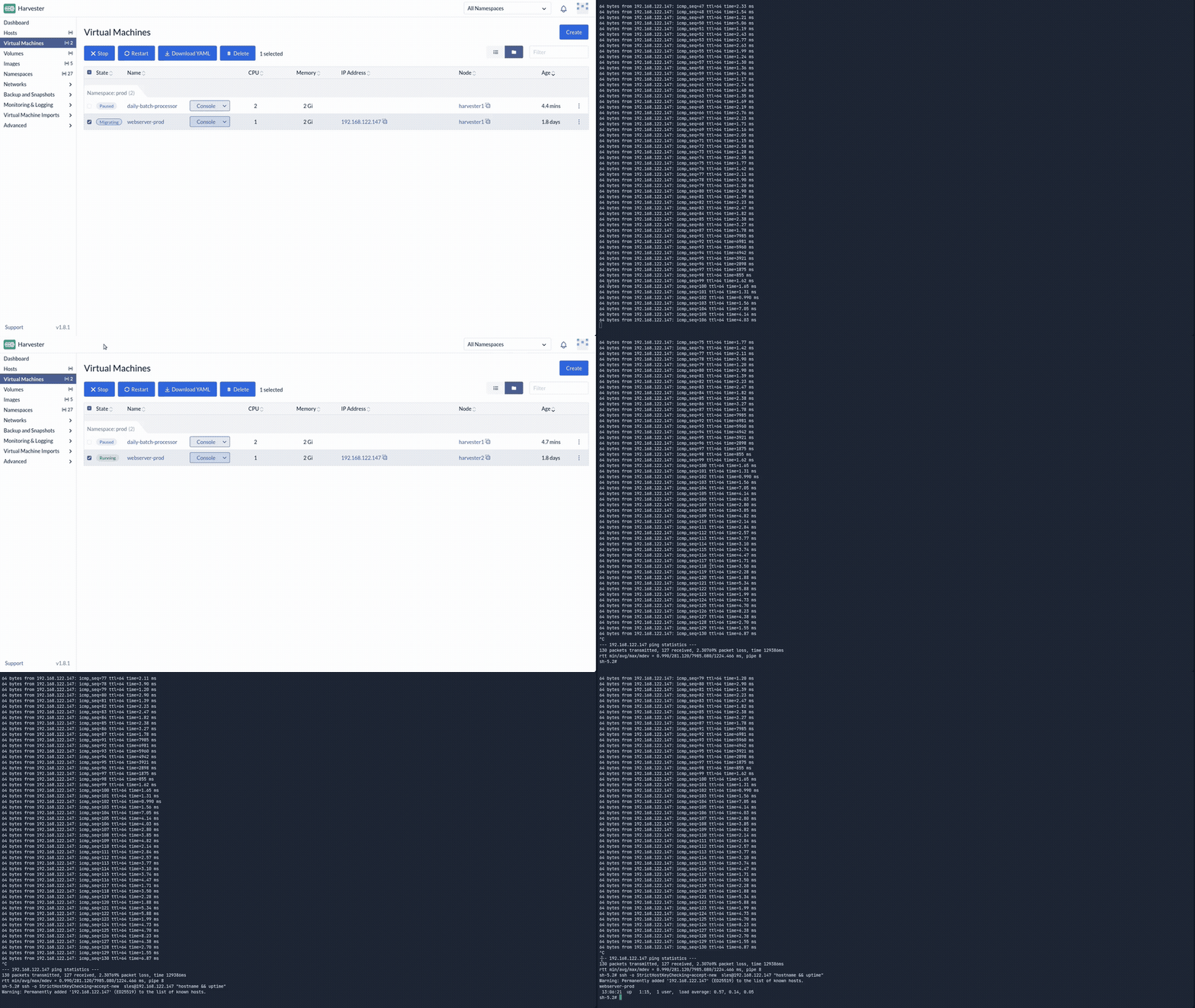
When migration finishes, stop ping (Ctrl+C). At most you might see one slower reply. The guest OS did not reboot.
Uptime should not have reset. The Node column should show the new host.
4.5 Resume batch work
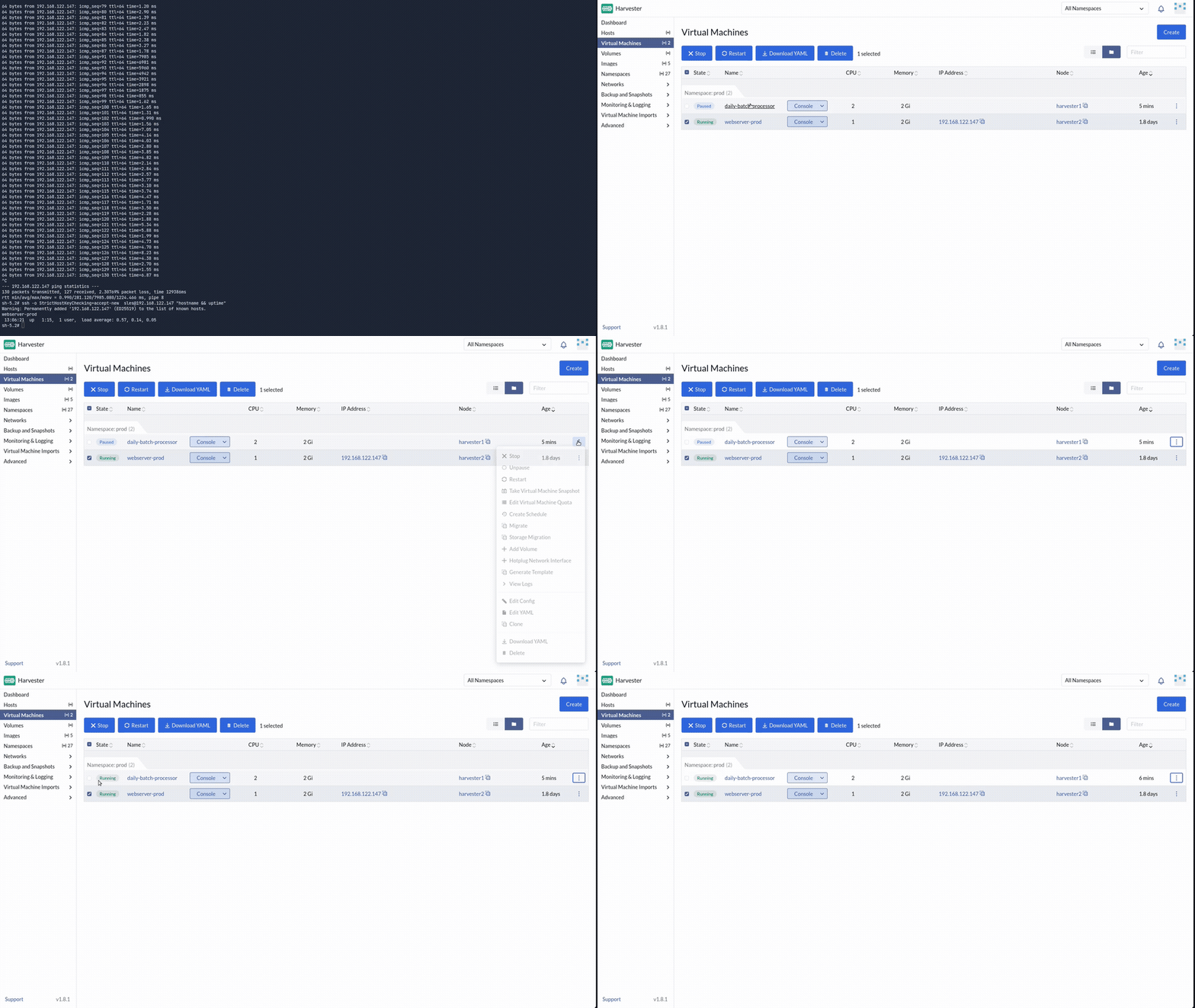
daily-batch-processor → ⋮ → Unpause.
4.6 Evacuate the damaged rack
Hosts → the node webserver-prod was on before migration → ⋮ → Enable Maintenance Mode.
Watch Virtual Machines: remaining guests on that node live-migrate away automatically. When the host shows Maintenance and is empty, the flooded rack is safe for hardware work.
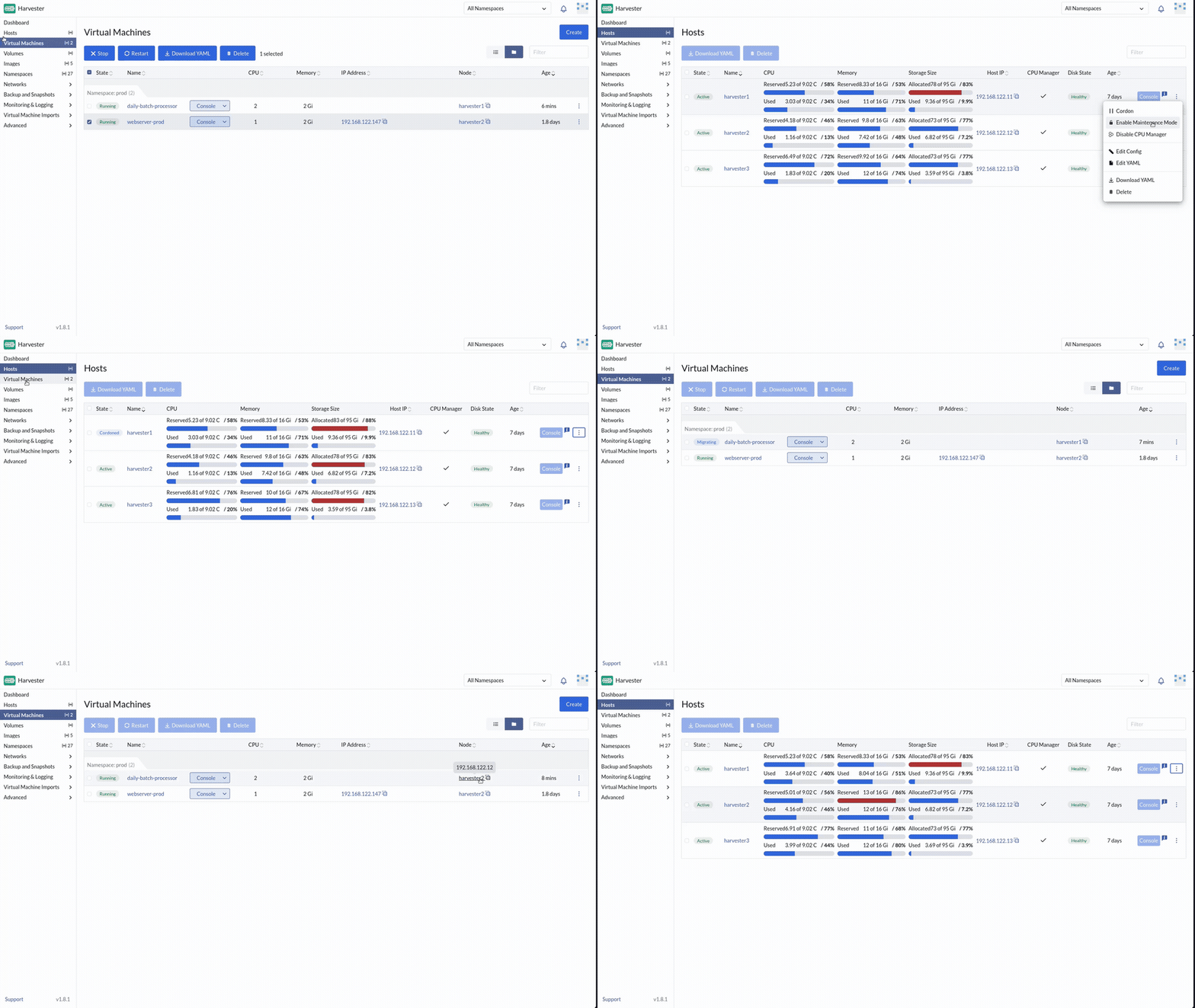
Disable maintenance when you are done exploring so the cluster returns to full capacity (⋮ → Disable Maintenance Mode).
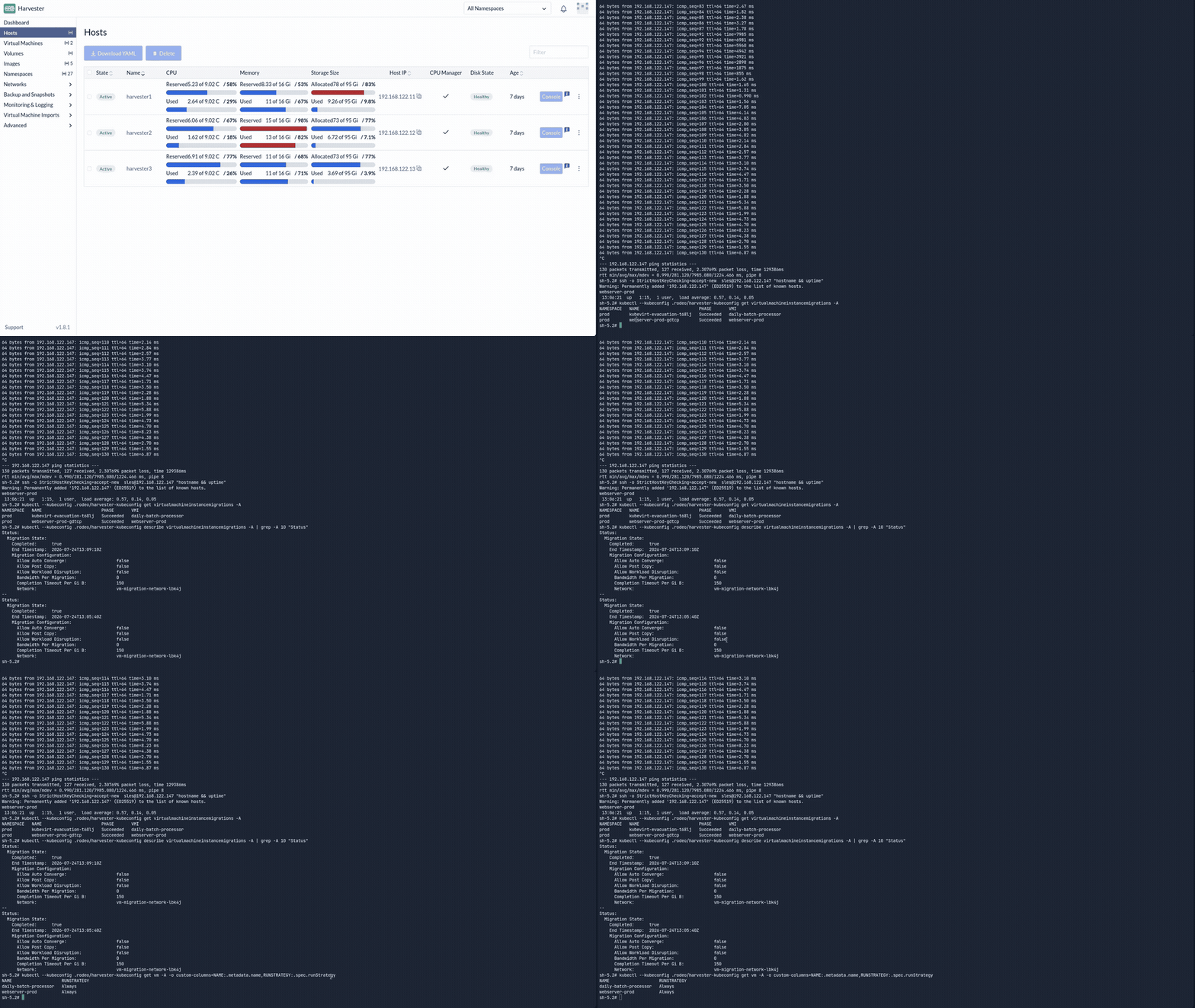
Optional: every migration is itself a Kubernetes object, so it's auditable. Open the cluster terminal and inspect the migration history for
webserver-prod.
Check your work: /opt/suse-virt-workshop/checks/check-exercise-4.sh. This exercise has no automated grading by design (nothing later reads back state created here). The script just points you at what to verify in the UI.