Exercise 5: The Invisible Intruder
Time: 30 min
Previous: Exercise 4: The Rising Tide
Next: Exercise 6: The Unthinkable Error

Someone is probing lateral movement from a compromised app tier toward the ledger. You will build an isolated production path on a dedicated NIC fabric and a cheaper overlay vault for development, then show how to attach VMs.
Note: Nested Harvester nodes from rodeo-cli typically expose multiple virtio NICs. This exercise uses
ens5as the uplink for the closed-loop cluster network. Confirm the interface name under Hosts → node → Network and adjust if your lab showsenp*s*or similar.
5.1 Closed-loop cluster network (physical isolation)
Networks → Cluster Network Configuration → Create a Cluster Network:
| Field | Value |
|---|---|
| Name | closed-loop |
On the closed-loop row → Create Network Configuration (uplink):
| Field | Value |
|---|---|
| Name | closed-loop |
| Uplink NICs | ens5 (or the spare NIC on your nodes) |
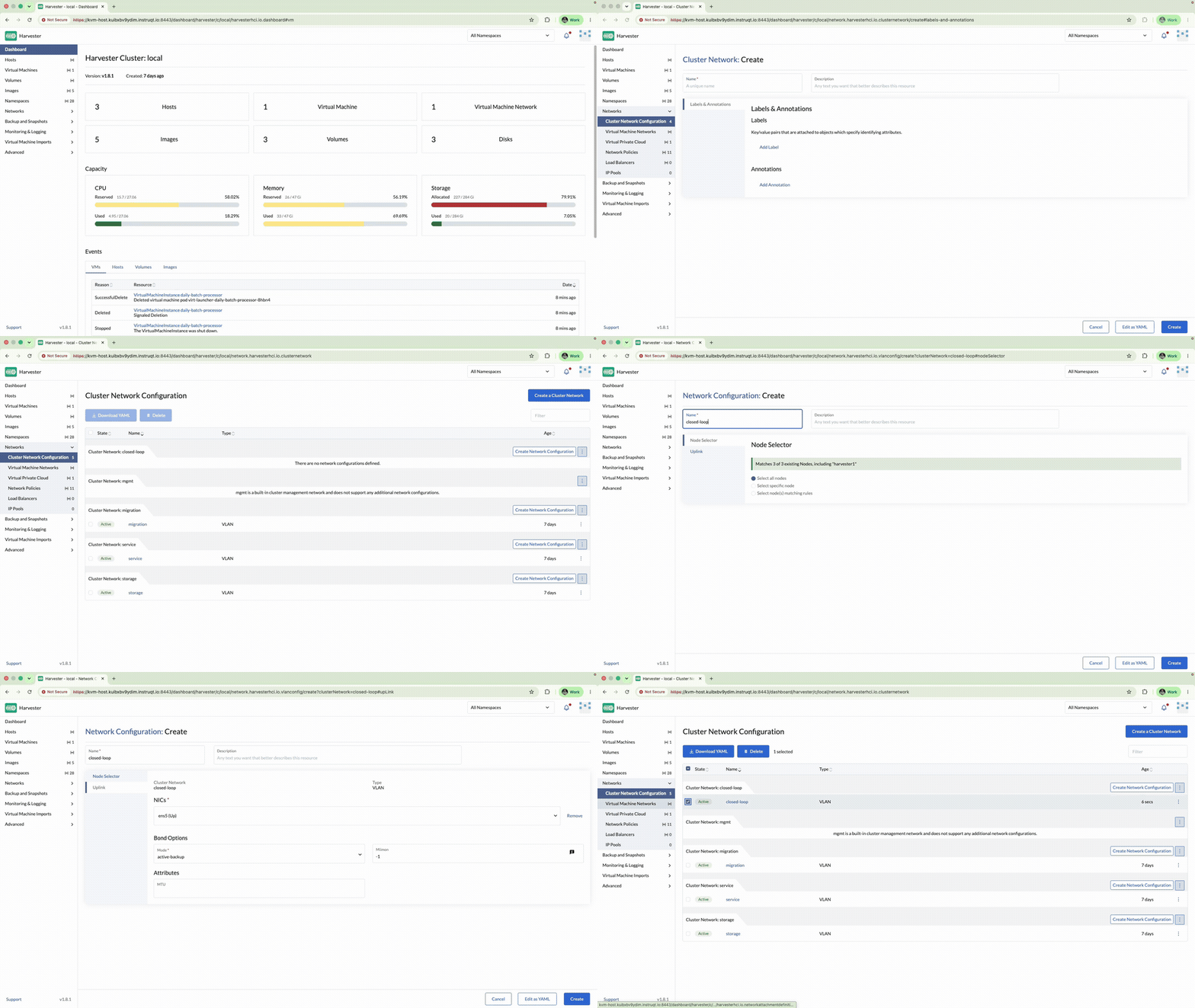
Then Virtual Machine Networks → Create:
| Field | Value |
|---|---|
| Namespace | prod |
| Name | secure-loop-prod |
| Type | UntaggedNetwork |
| Cluster Network | closed-loop |
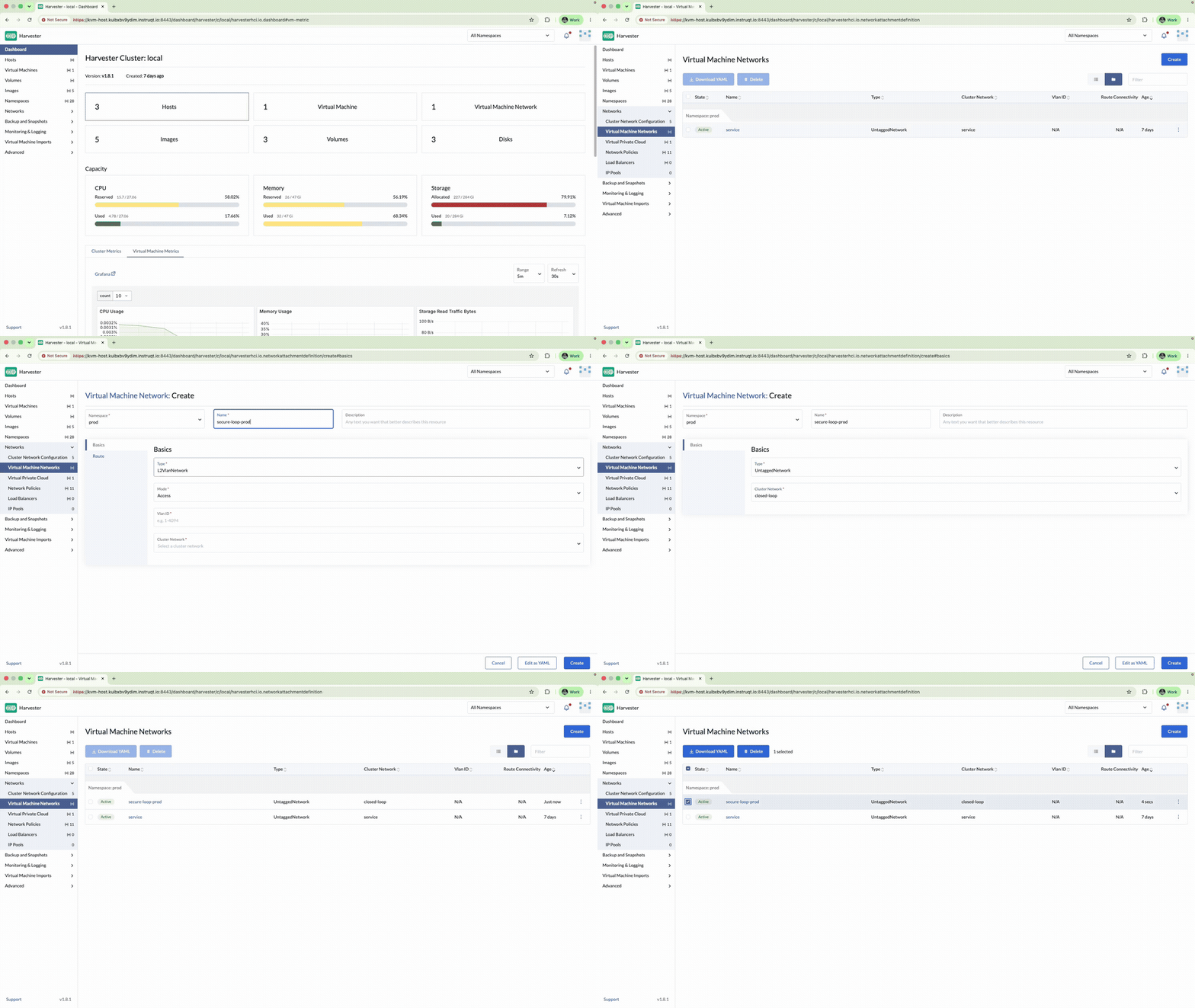
Confirm prod/secure-loop-prod is Active.
5.2 Overlay vault for development (Kube-OVN)
Kube-OVN ships disabled by default. Before OverlayNetwork or Virtual Private Cloud appear as usable options, enable the addon: Advanced → Addons → kubeovn-operator → enable it, and wait for its pods (kube-ovn-controller, ovs-ovn, kube-ovn-cni, etc., all in kube-system) to reach Running (under a minute on this lab's sizing). Skipping this step leaves the CRDs subnets.kubeovn.io/vpcs.kubeovn.io (used in 5.4) entirely absent from the cluster, not just empty. Kube-OVN finishes its own setup a minute or two after the pods are Running; if Harvester refuses the overlay network below with "kubeovn is not yet enabled", wait a minute and create it again.
Virtual Machine Networks → Create:
| Field | Value |
|---|---|
| Namespace | dev |
| Name | secure-loop-dev |
| Type | OverlayNetwork |
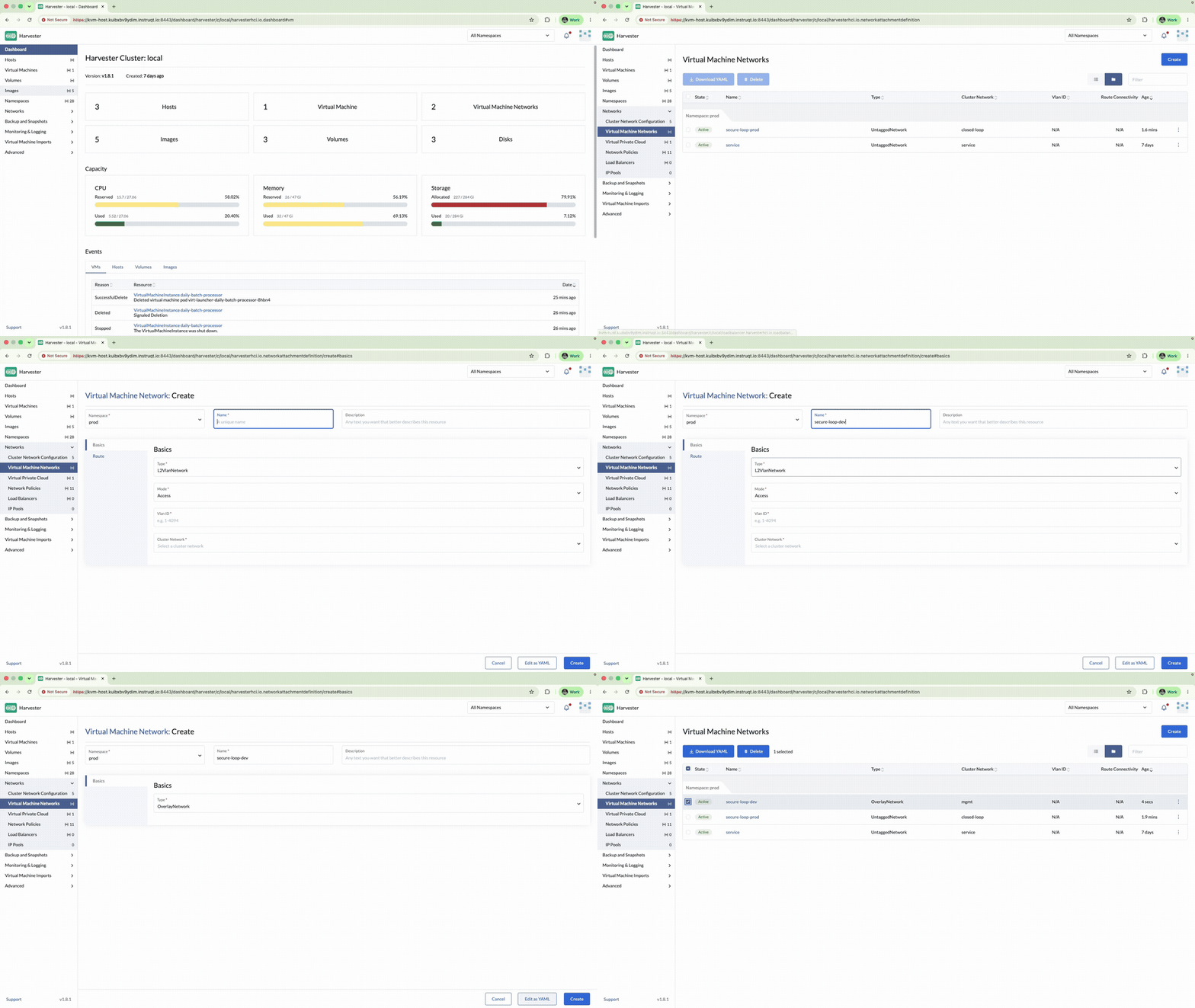
Networks → Virtual Private Cloud → on ovn-cluster → Create Subnet:
| Field | Value |
|---|---|
| Name | secure-vpc-dev |
| CIDR | 192.168.32.0/24 |
| Provider | dev/secure-loop-dev |
| Gateway IP | 192.168.32.1 |
| DHCP | Enabled |
| Private Subnet | Enabled |
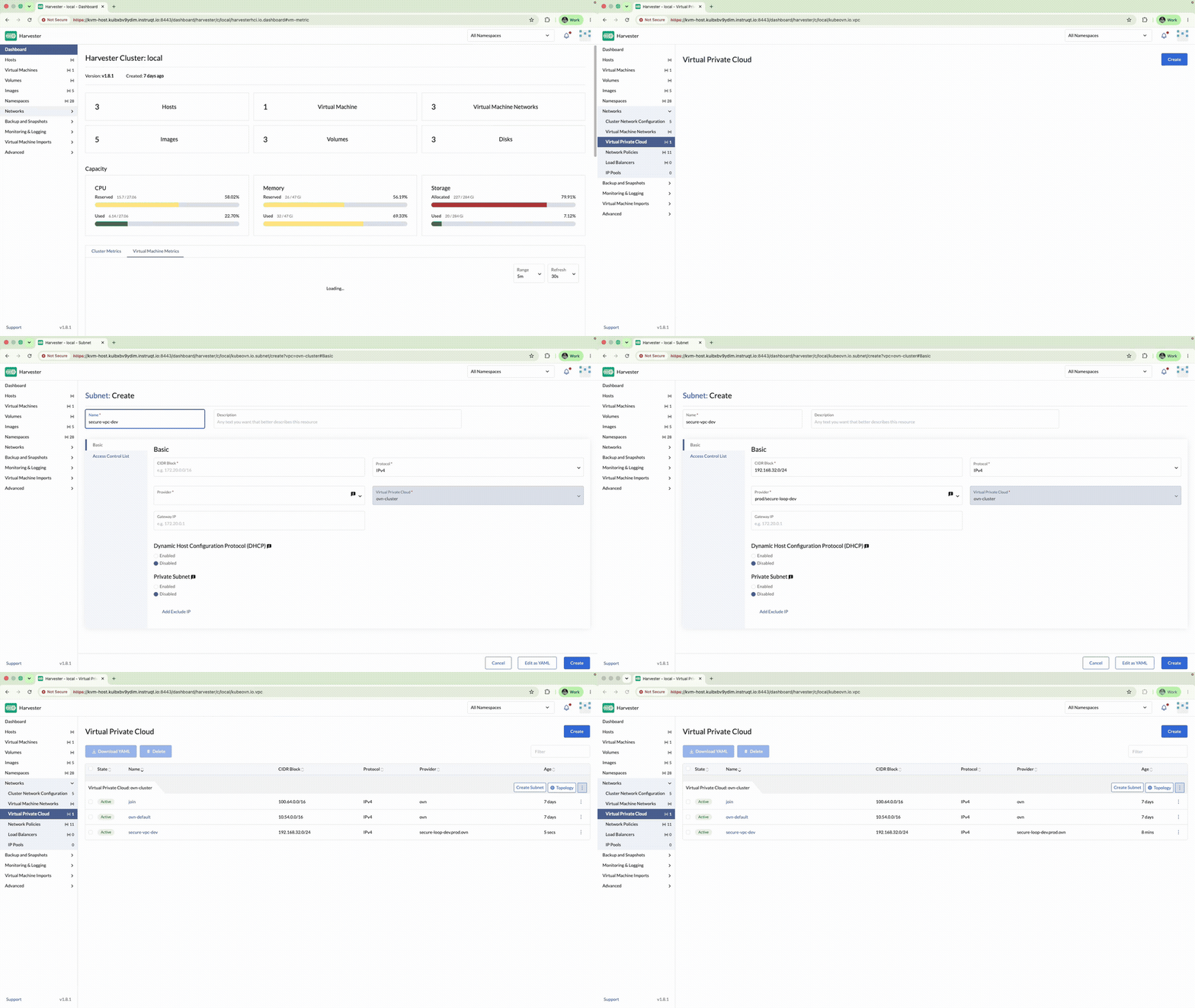
VMs on dev/secure-loop-dev only talk to peers on that overlay.
5.3 Attach a VM to the vault
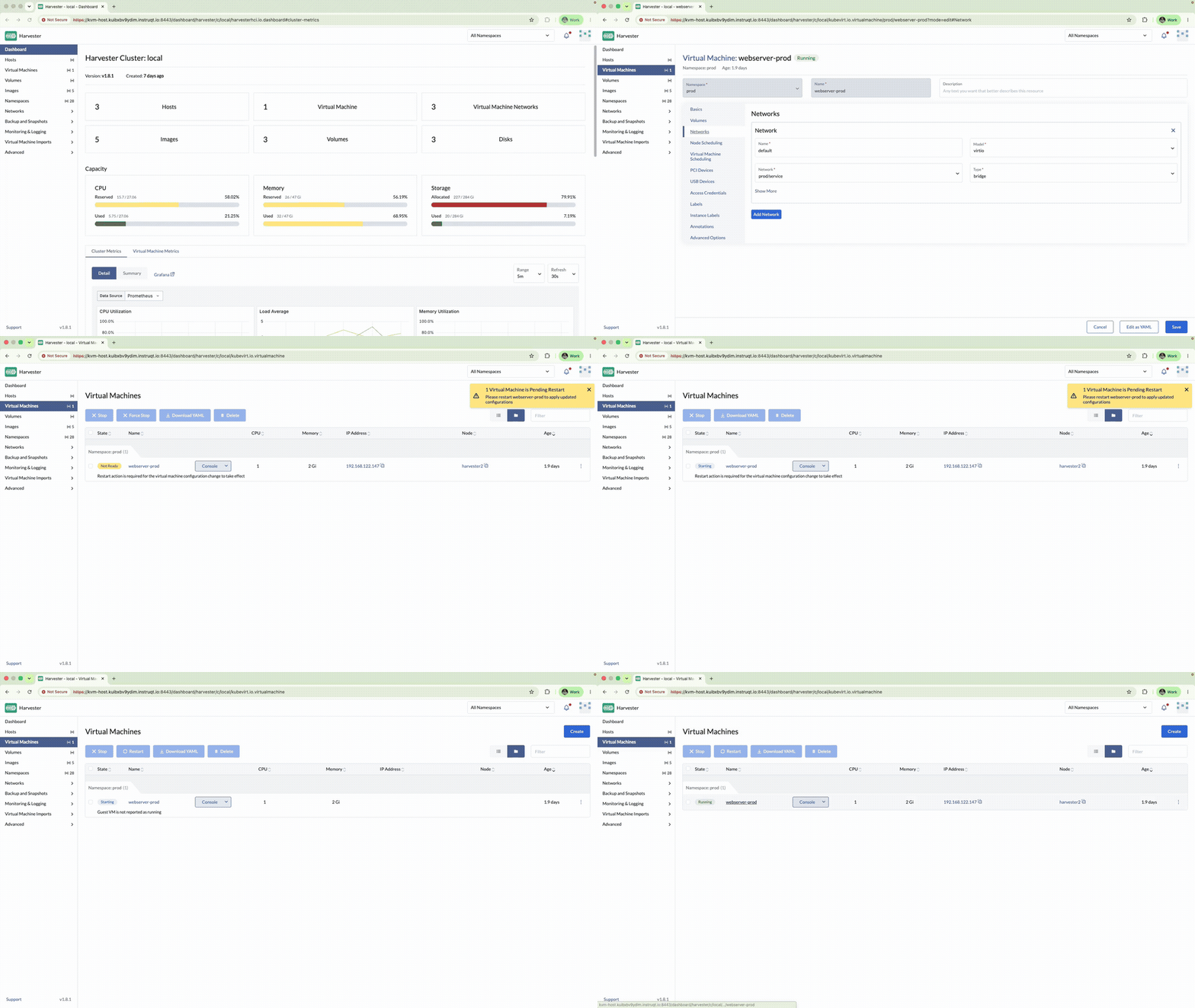
Pick a non-critical VM (for example daily-batch-processor):
- ⋮ → Edit Config → Networks → select
prod/secure-loop-prod(ordev/secure-loop-devfor a dev VM). - Save.
- Stop the VM if required, then Start / Restart so the NIC change applies.
Important: Hot-plug of network changes is limited. Stopping first is the reliable path.
You have shown the bank how production rides a dedicated fabric and how development gets isolation without new cables.
5.4 Optional CLI drills
kubectl get network-attachment-definitions -A
kubectl get subnets.kubeovn.io
kubectl get vpcs.kubeovn.io
Check your work: /opt/suse-virt-workshop/checks/check-exercise-5.sh. This exercise has no automated grading by design (nothing later reads back state created here). The script just points you at what to verify in the UI.