Exercise 6: The Unthinkable Error
Time: 30 min
Previous: Exercise 5: The Invisible Intruder
Next: Exercise 7: The Stampede

A junior admin deleted the wrong file on the transaction ledger. You will snapshot, clone to staging, verify, restore production, then point the cluster at an off-cluster NFS backup target and schedule backups.
6.1 Prepare a ledger VM
If you do not already have a suitable VM, create transaction-ledger in prod on prod/service (1 CPU / 1 GiB, root volume left at the image's own virtual size — see Exercise 3.3's note on why a smaller size leaves the PVC Pending forever — same image and SSH key as before). Note its IP from the UI.
SSH in and create the record:
ssh sles@TRANSACTION_LEDGER_IP
echo "CLIENT: BRUCE WAYNE | AMOUNT: 100,000,000 | STATUS: CLEARED" > /home/sles/ledger.txt
cat /home/sles/ledger.txt
Leave the SSH session open or reconnect as needed.
6.2 Take a snapshot, then break production
In the UI → transaction-ledger → Snapshots → Take Snapshot → name pre-disaster-backup. Wait until Active.
On the VM:
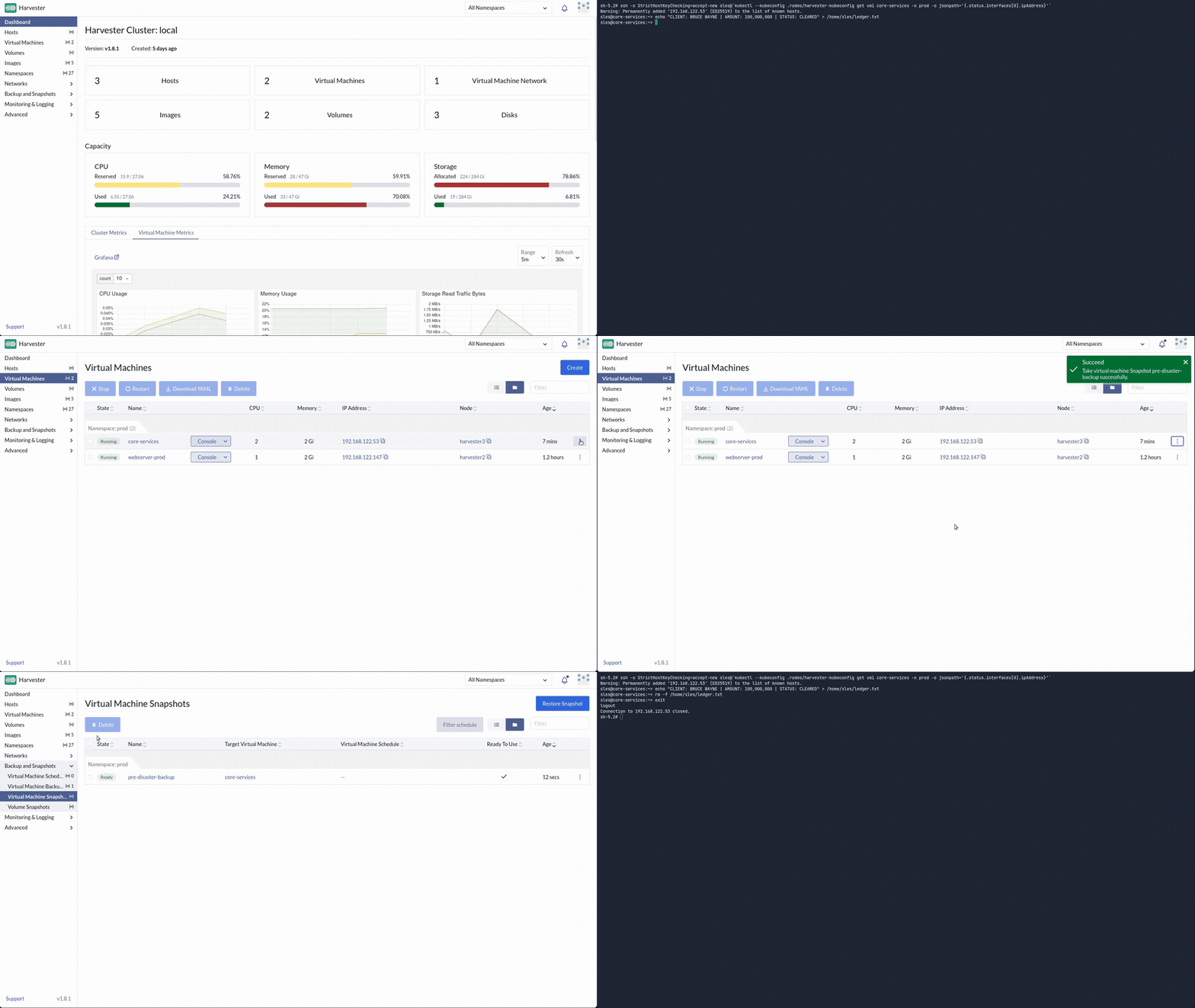
6.3 Clone to staging from the snapshot
On the snapshot row → ⋮ → Restore to New Virtual Machine:
| Field | Value |
|---|---|
| Name | ledger-staging-verify |
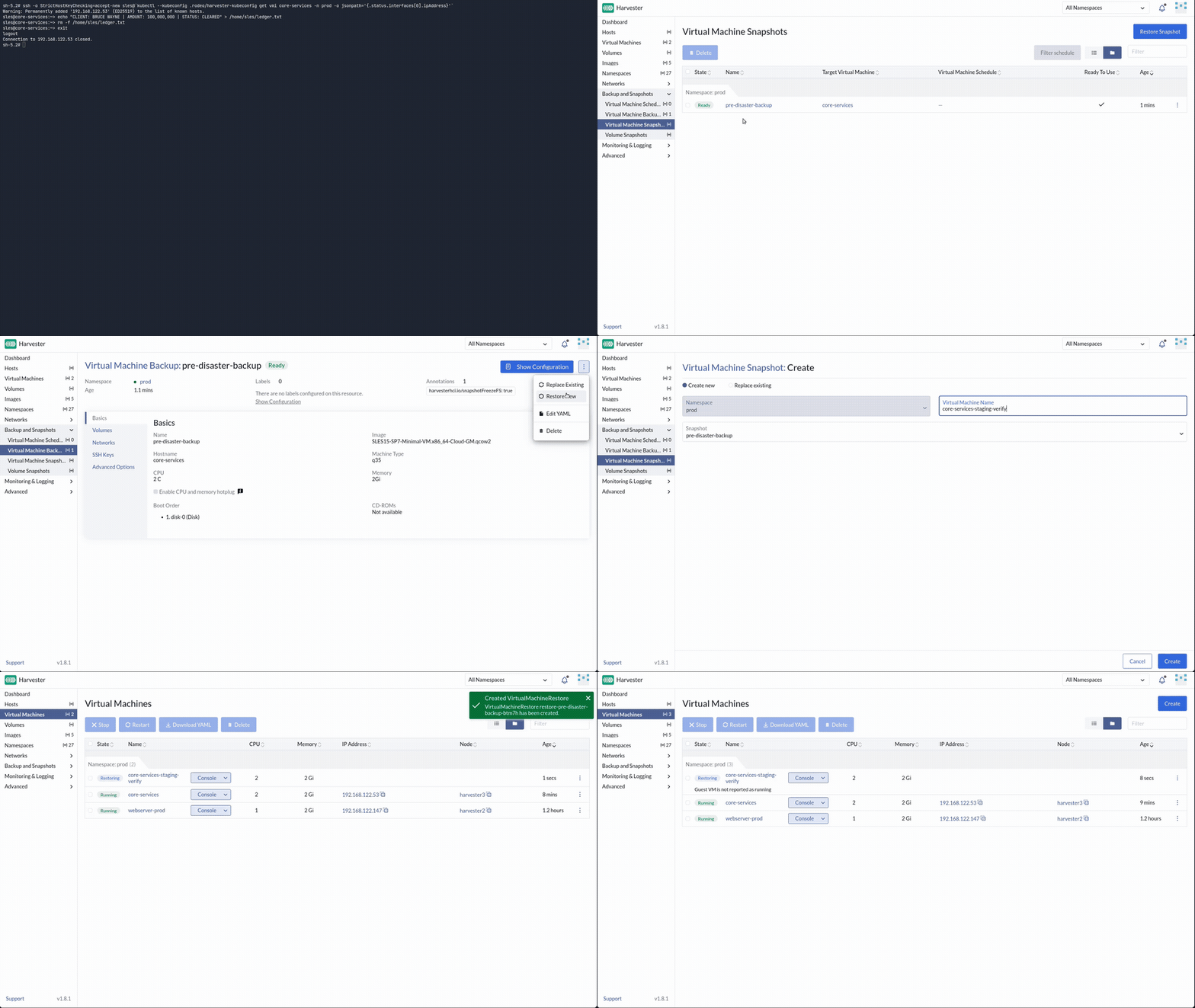
Wait for the clone to boot and get an IP. SSH in and confirm:
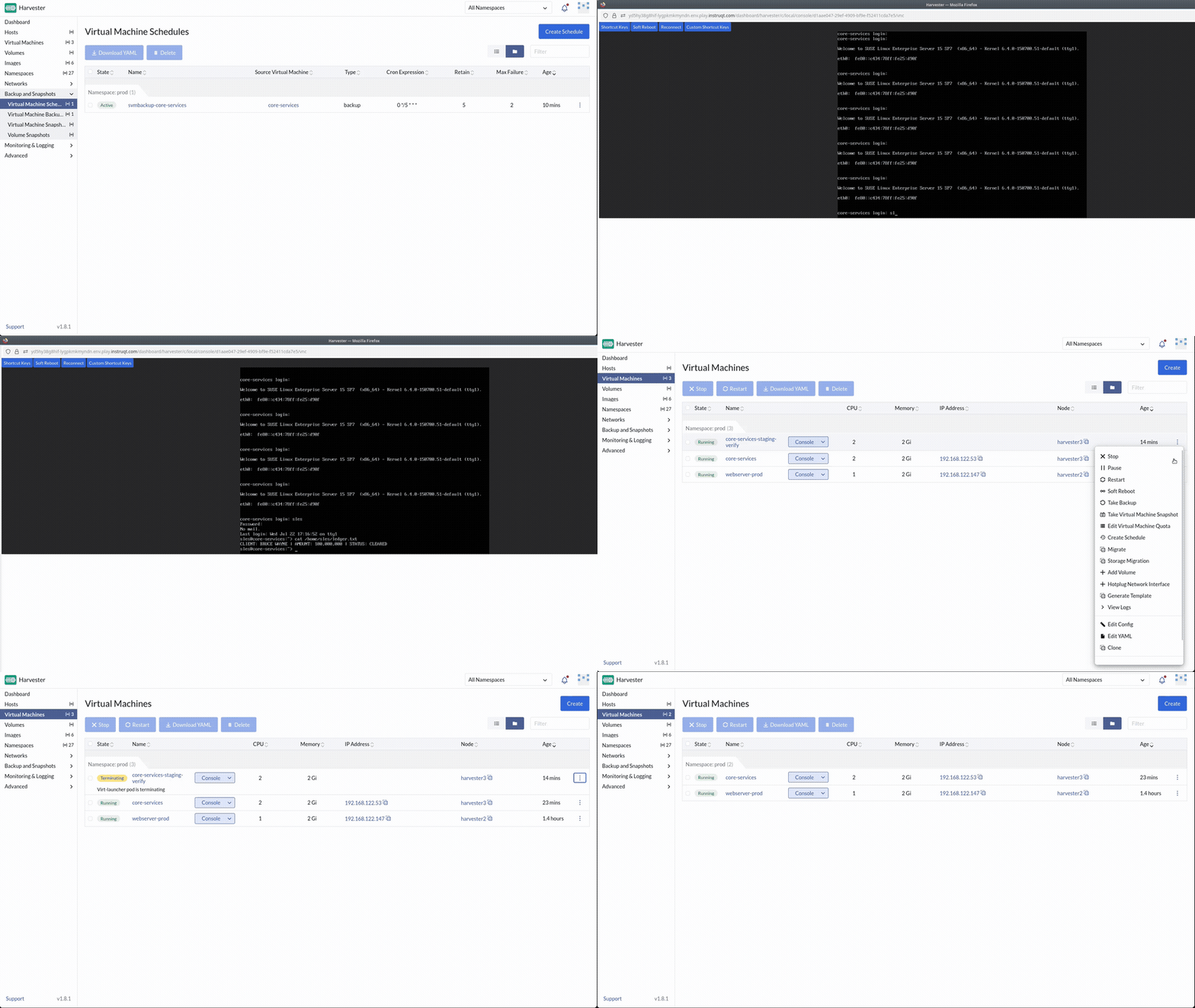
6.4 Restore production
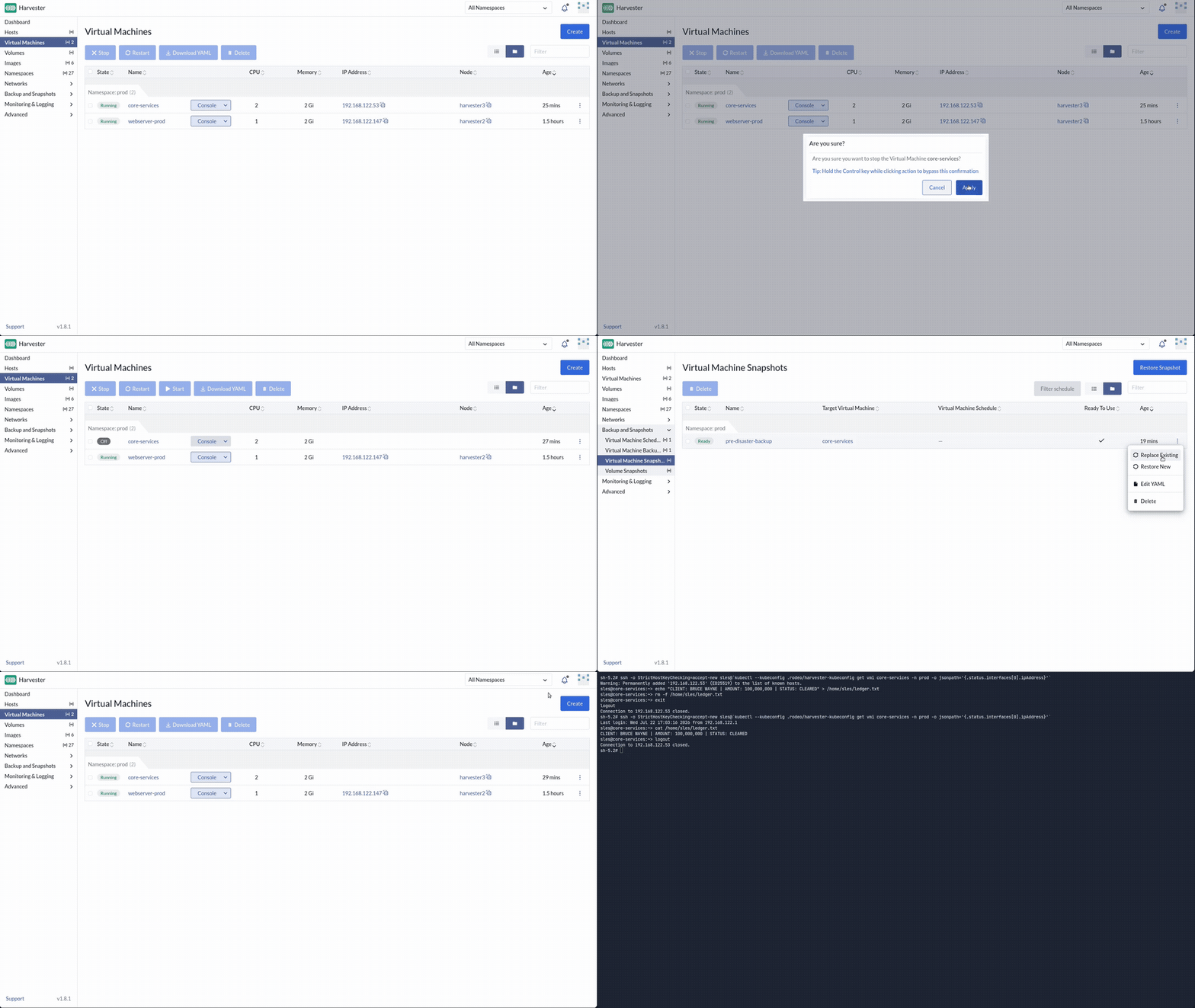
- Power off
transaction-ledger. - Snapshot
pre-disaster-backup→ ⋮ → Restore → confirm. - Power the VM back on.
- SSH and
cat /home/sles/ledger.txt. The record is back.
6.5 Connect an NFS backup target
Snapshots live on the same cluster. Real DR needs an off-cluster target.
Deploy automation already exported /srv/backups from the KVM host over NFS to the lab network (192.168.122.0/24). If you deployed the lab yourself, sudo exportfs -v on the host shows the export (optional).
In Harvester: Advanced → Settings → backup-target → Edit:
| Field | Value |
|---|---|
| Type | NFS |
| Endpoint | 192.168.122.1:/srv/backups/ |
Save.
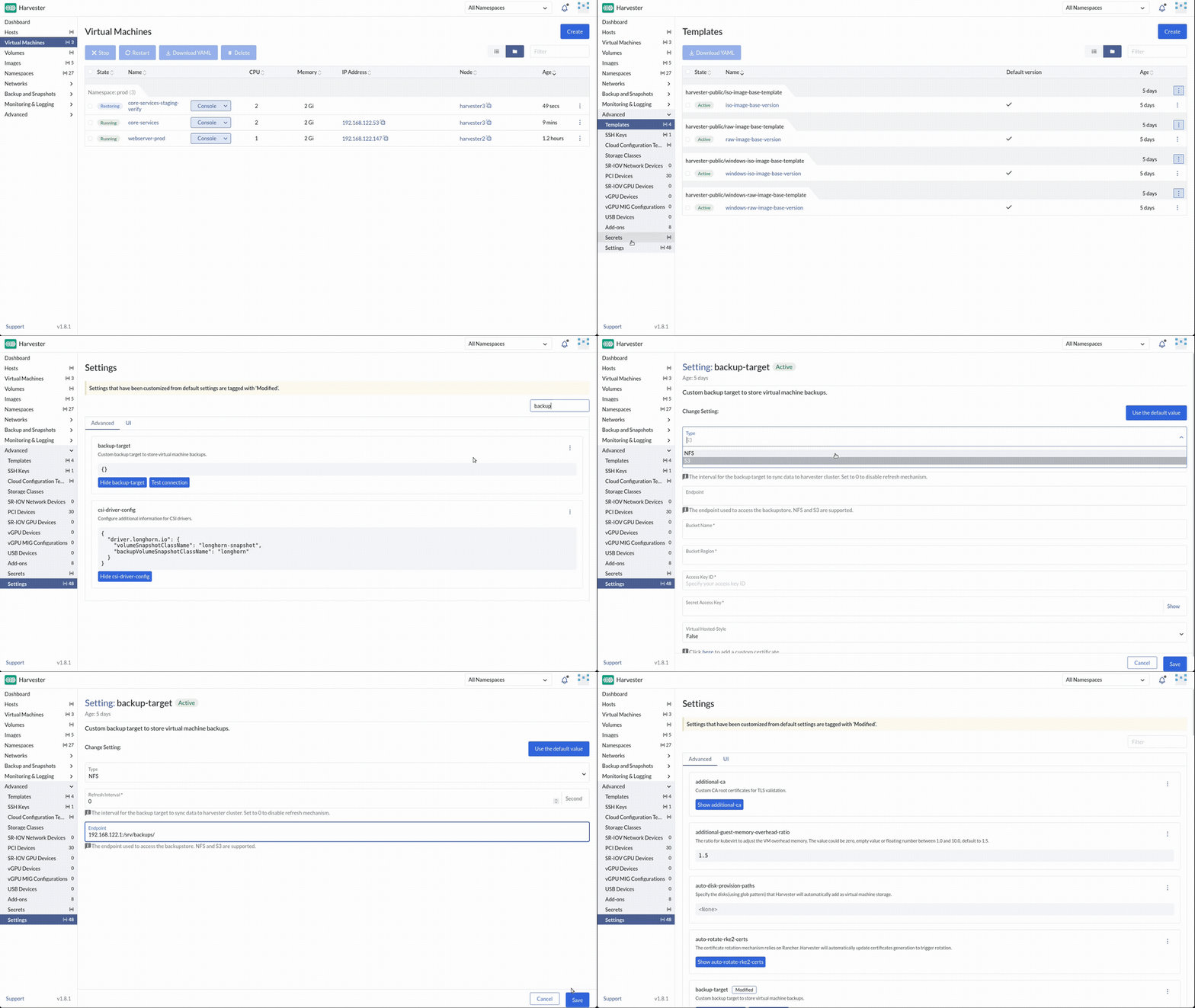
Tip: If the setting doesn't turn configured,
custom_scripts' NFS step may have failed non-fatally (ask your instructor on a claim-portal lab). Most likely an unsupported host OS package manager, see the pre-lab checklist. Fall back to setting it up by hand:sudo mkdir -p /srv/backups && sudo chmod 777 /srv/backups, then install and configure an NFS server exporting that path to192.168.122.0/24(package name differs by distro:nfs-kernel-serveron Ubuntu,nfs-server/nfs-utilson SLES/Fedora). Either way, the skill is knowing where backup-target lives. S3 endpoints work the same way in production.
6.6 Schedule backups
Virtual Machines → select transaction-ledger (or use Backup & Snapshots schedules in your Harvester version):
- Create a recurring backup/snapshot schedule (hourly or daily is fine for the lab).
- Confirm the schedule object appears and the next run is listed.
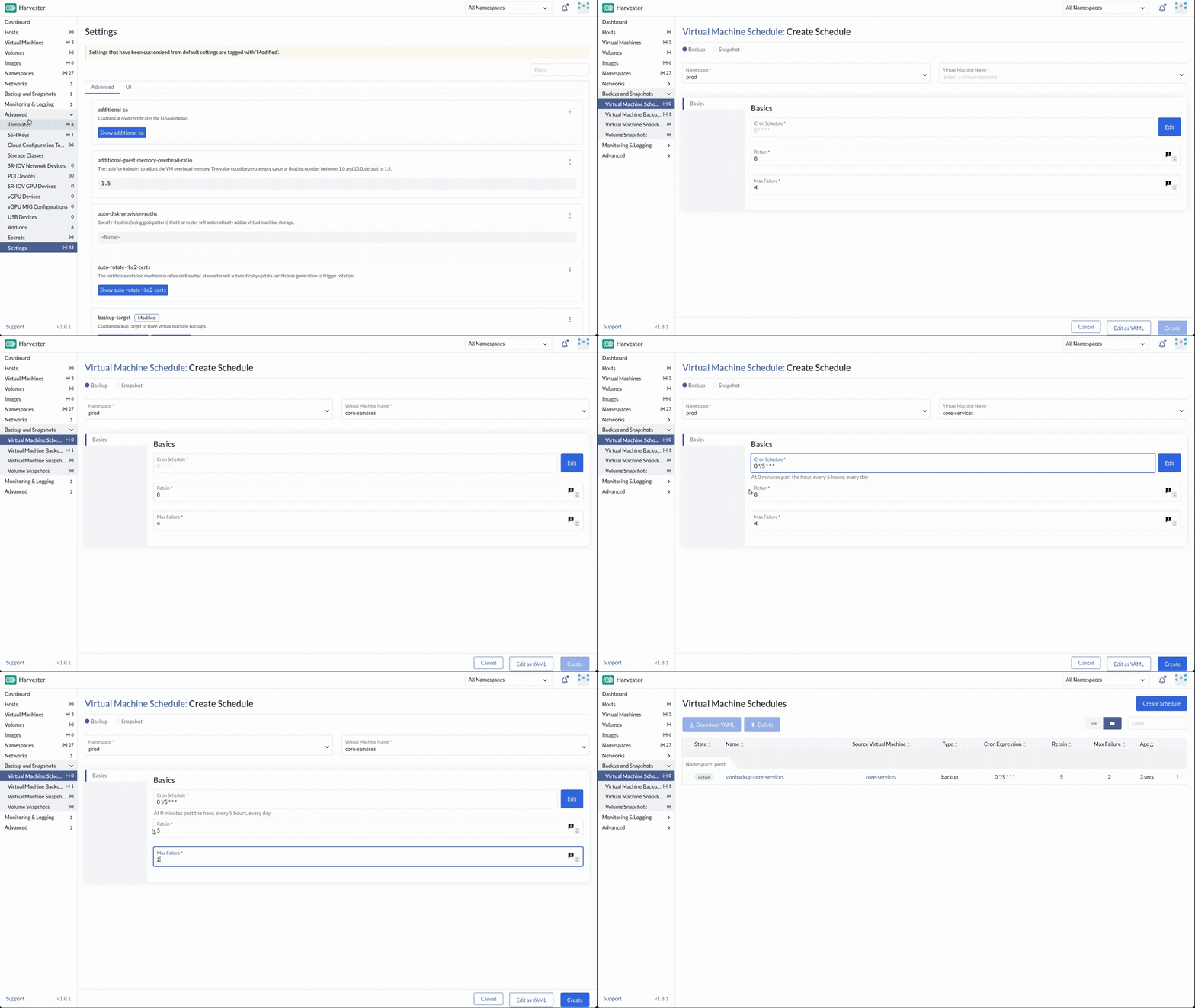
Exact UI labels vary slightly by Harvester minor version. The goal is a policy, not a one-off click.
Check your work: /opt/suse-virt-workshop/checks/check-exercise-6.sh. This exercise has no automated grading by design (nothing later reads back state created here). The script just points you at what to verify in the UI.
Next: Exercise 7: The Stampede